Video
Video resize
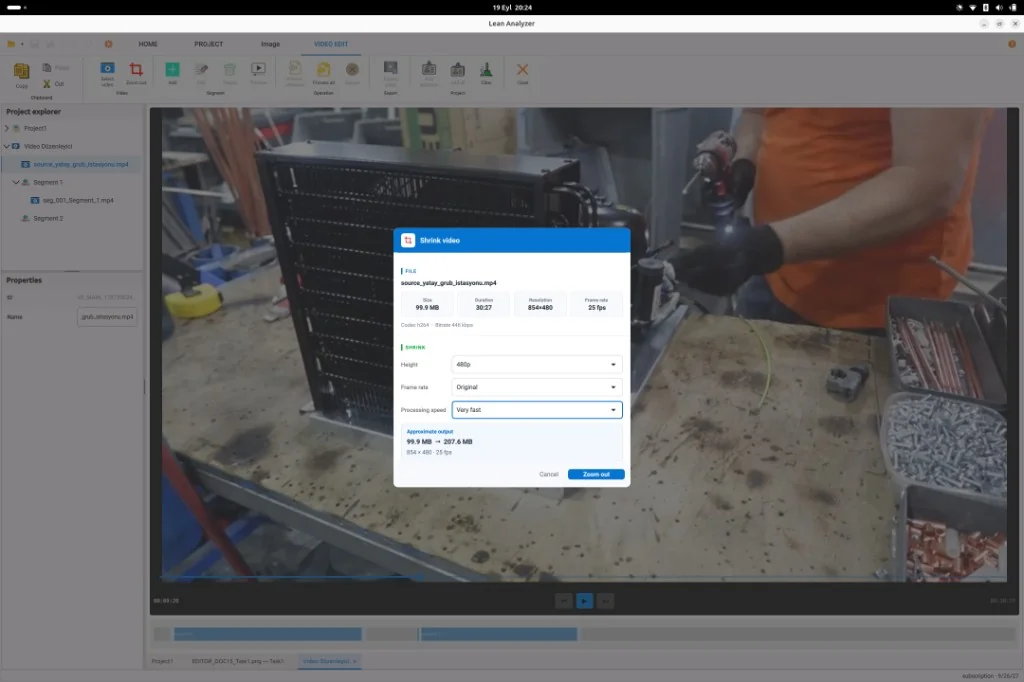
Shop-floor files are often too heavy for a smooth timeline. Resize on the workstation so the study and the instruction can actually use the clip.
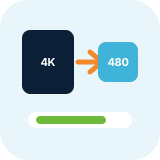
Huge files, extra converters, extra copies
A phone recording of a long cycle can stall the timeline, fill a laptop disk, or bounce around the network as a second “small” copy made in a random converter.
- Timeline scrubbing stutters on oversized files
- A separate converter creates a copy nobody can find later
- IT often blocks cloud transcode tools on plant PCs
- The original and the study file drift into different folders
How it works
From the floor to a usable study
-
1
Bring the recording to the PC
Copy the file locally. You do not upload it to leananalyzer.com to resize it.
-
2
Resize in the app
Create a study-sized version without leaving Lean Analyzer.
-
3
Keep the original if you need it
Archive the full capture; use the smaller file for timing, instructions, and sharing with the team.
-
4
Study on the timeline
Open the resized clip in the time study and mark elements as usual.
What you get
Outputs you can take to the team
A file the timeline can handle
Smoother scrubbing and marking during the study.

Easier documentation
A smaller clip is simpler to attach or archive with the instruction pack.

No extra tool on the PC
Resize stays inside the same desktop app as the rest of the work.

Plant-network friendly
Processing is local. Nothing has to leave the site to shrink a video.
Quality vs size
The resized file still has to show the motion. Aim for a size that the workstation can play smoothly while keeping hands, parts, and fixtures readable.
Offline on purpose
Lean Analyzer is a Qt desktop client. Video handling is designed for plants where a browser tool is not practical.
FAQ
Questions, answered
Study the work on the workstation
First month free. Desktop app. Cancel anytime.